
Getting to know your HealthEx Wallet
Your HealthEx Wallet has two main sections:
- Records: All your health records in one place. View them in chronological order, see a summary of your health details, and check which providers are connected to your HealthEx account.
- Sharing: See and manage the connections where you’re sharing your records, and create share links to send records to people outside HealthEx.
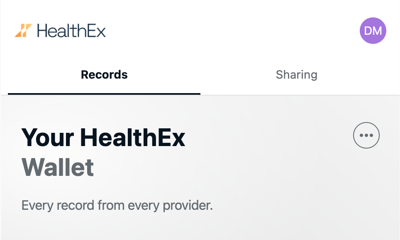
Records
The Records section has three tabs:
- Timeline: A chronological list of your connected records. Filter by record type and tap any record to see its details.
- Summary: A quick view of your conditions, medications, and results, including which are active.
- Sources: Every connected provider and health plan, with a summary of the data from each. Add, refresh, hide, or restore sources here.
To learn how to use the Timeline and Summary tabs, see Viewing Your Records: Timeline & Summary. To manage your connected providers, see Managing Your Sources.
Sharing
Use the Sharing section to see who has access to your records and to send your records to others. For steps, see Sharing Your Records.
Your Profile and Account
Tap your initials in the top-right corner to open your profile. From there you can review your login methods, update your recovery phone number and contact preferences, see the permission you gave HealthEx, change your language, add a profile photo, log out, or delete your account. See Your HealthEx Profile Settings for details.
Download or Print Your Records
The … menu at the top of your Wallet lets you download a full PDF of your records or print the screen you’re on. See Managing Your Sources for details.