
Use these steps to add a provider that wasn’t found automatically. They also apply if you signed in with Google or Microsoft and didn’t complete identity verification through CLEAR or ID.me.
Start the Connection
Choose the place that matches where you are:
- From the Wallet: Tap the … menu at the top of your Wallet, then tap Add a Provider.
- From the Sources tab: Tap Add in the box at the bottom of the tab.
- When you first sign up, or from app.healthex.io: Log in and tap Add a provider.
Find Your Provider
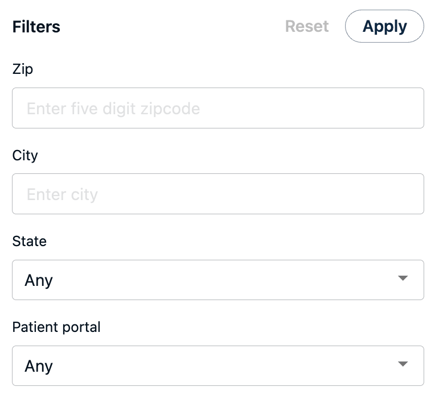
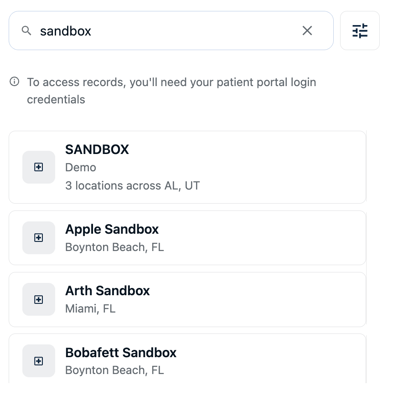
- Search for your provider by name, clinic, hospital, or health plan. To narrow the results, tap the filter icon next to the search bar and set a search city, patient portal, state, and/or zip code.
- Select your provider from the results.
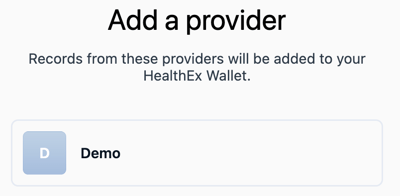
- Sign in to your provider’s patient portal to authorize access. This takes you to the provider’s site, so use the sign-in you normally use there.
- Once you log in and authorize access, you'll return to the HealthEx add a provider flow to add additional providers (if needed) or continue.
Success! Your new provider is added. You'll receive an email confirmation when the records are ready in your wallet.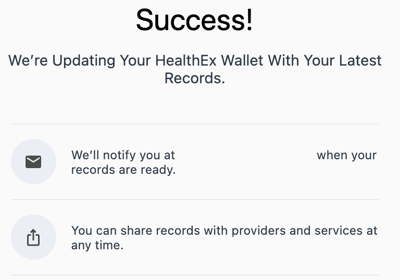
What Happens Next?
Once you’re connected, your records appear in your HealthEx Wallet. What you see depends on what your provider shares, and can include lab results, visit summaries, and medications. Find the provider on your Sources tab, where you can refresh it later. See Managing Your Sources.
Can't Find Your Provider?
If your search has no matches, try these first:
- Search for a hospital, clinic, or network. HealthEx connects to the organizations that host your records, not to individual physicians. Try the parent hospital, clinic group, or network.
- Check your spelling. Try alternate spellings, or an acronym such as NYP, MGH, or BCBS.
- Use the health system name, not a single clinic. For example, search “Mass General Brigham” instead of a specific outpatient office.
- Try a patient portal or EHR name. If you recognize it from your provider, search MyChart, Healow, or FollowMyHealth. This won’t include all locations.
- Your provider may not be connected yet. HealthEx connects to 75,000+ sources, but coverage is still growing.
If you still can’t find them, tap Request “[the name you searched]” to ask HealthEx to add that provider. For example, if you searched for “Sample Clinic”, the button reads Request “Sample Clinic”. The request uses exactly what you typed, so check the spelling first.
A Request submitted message confirms it went through.
If you need assistance or run into any problems, do not hesitate to contact our Support team!