
Steps to delete your account
- Log in to your HealthEx account (link)
- Once logged in, tap on the profile icon in the top-right corner
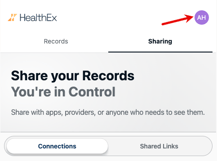
- Scroll down and tap Delete Account
- Select a reason for leaving
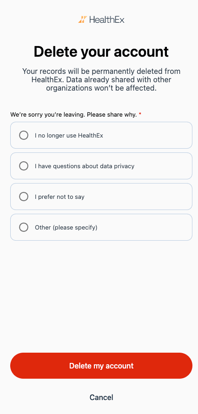
- Tap Delete my account to confirm
What happens after deletion
Your records will be permanently deleted from HealthEx. Data already shared with other organizations won't be affected. You'll receive a confirmation email once your account is fully deleted.
Changed your mind?
Tap Cancel on the confirmation screen to go back without deleting your account.